P8 ISP — the Internet Operating System for ISPs
Customers who pay are back online without a call.
ISP billing and management software for PPPoE and hotspot networks on MikroTik. Payments that don't match are caught, not lost.
- Automatic payment settlement
- Works with MikroTik RouterOS 7
- PPPoE and hotspot
- Invoicing and tax returns
- SMS reminders
Eleven parts of the job, one backoffice.
Pick a part to see what it does today, what it needs, and where it stops.
Payments
Every payment lands on an account, or in a queue you review.
See how payments reconcileRenewals & expiry
Payment switches the line on; expiry switches it off.
See how renewals workInvoicing & tax
Invoices, credit notes, VAT and withholding returns.
See the tax toolsRouter setup
Add a MikroTik router with a guided setup. No public IP needed.
See the setup steps
- See how limits work
Usage & fair use
See who is using what, and slow a line once it passes the limit you set.
Limits per subscriber, checked every few minutes.
- See how failover works
WAN failover
A backup internet link takes over when the main one stops answering.
Smart Failover checks past the gateway and moves to the backup by itself.
Outages & SLA
See which site is down before customers start calling.
See how outages workPPPoE
Sell monthly PPPoE lines that customers renew by account number.
See monthly PPPoE linesHotspot
Sell hotspot time through a captive portal at each site.
See hotspot salesSMS reminders
Message customers on rules you set, through your SMS provider.
See the message rulesSupport, field & stock
Tickets, field jobs, equipment and staff roles in one workspace.
See the team tools
See it with a demo ISP’s data
A demo tenant with 48 subscribers, online and cash payments, and a network with one site down. Switch areas below, or open the full demo.
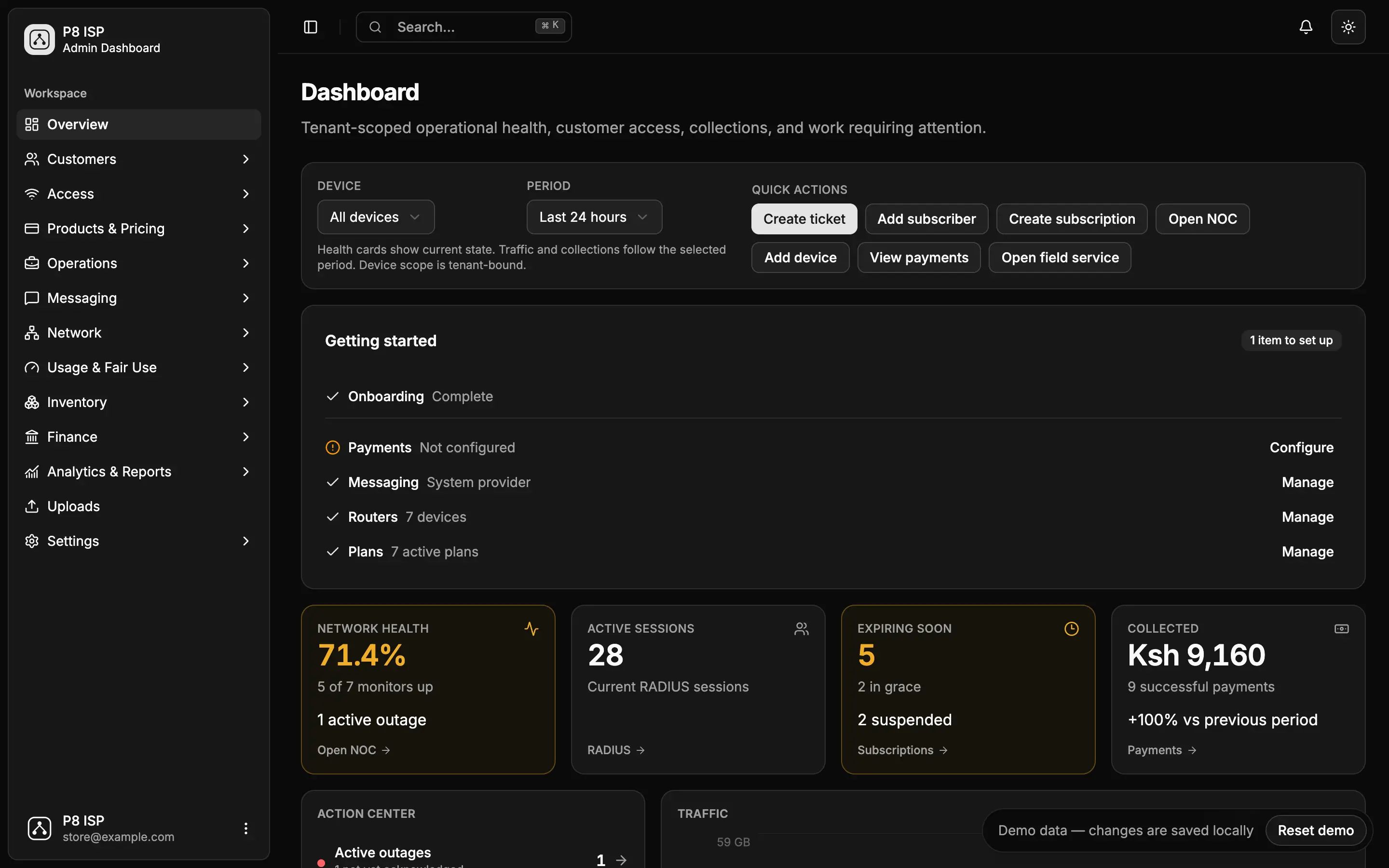
Demo data only. Changes stay in your browser and reset any time.
Trouble loading? Open the demo in a new tabFrom box to first payment in three steps.
Connect a router
Follow the guided setup for a MikroTik on RouterOS 7: back up, paste one temporary command, and the router restarts and connects back to P8 ISP. No public IP needed.
Set your plans and your payments
Create your plans and set up how customers pay. Add your own reminder rules too: new tenants start with none.
Customers pay, service follows
When a payment settles, the line turns on or extends. When it expires, access is cut. Anything that doesn't match waits in a queue for you.
Let’s talk
Tell us a little about your ISP and what you need. We’ll get back to you.
Prefer to talk directly?